 Konstantin Fickel
612ea0ae9d
Konstantin Fickel
612ea0ae9d

Download targets now store only 'download: <url>' in the state file
instead of using 'prompt' and 'model: __download__' as a workaround.

Also use exclude_defaults=True when serializing state to omit empty
fields like input_hashes: {} and extra_params: {}.
|
||
|---|---|---|
| .forgejo/workflows | ||
| hokusai | ||
| nix | ||
| tests | ||
| .envrc | ||
| .gitignore | ||
| .python-version | ||
| CLAUDE.md | ||
| devenv.lock | ||
| devenv.nix | ||
| devenv.yaml | ||
| flake.lock | ||
| flake.nix | ||
| LICENSE.md | ||
| logo.png | ||
| main.py | ||
| pyproject.toml | ||
| pyrightconfig.json | ||
| README.md | ||
| renovate.json | ||
| uv.lock | ||

hokusai
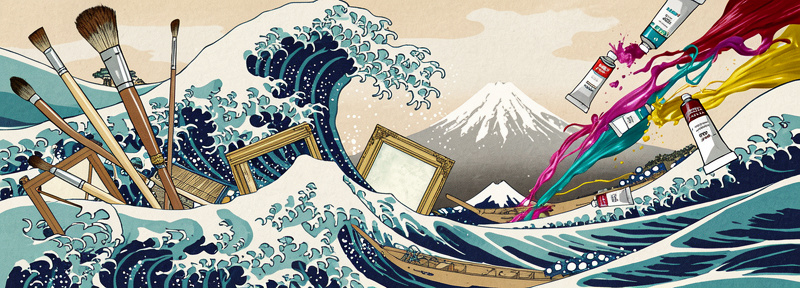
A build tool for AI-generated artifacts. Define image and text targets in a YAML config, and hokusai handles dependency resolution, incremental builds, and parallel execution.
Uses Mistral and OpenAI for text generation, and BlackForestLabs (FLUX) and OpenAI for image generation.
The name Hokusai was chosen in honor of Katsushika Hokusai, who produced over 30,000 paintings, sketches, woodblock prints, and images for picture books, many in larger series.
Installation
Requires Python 3.13+.
pip install .
Or with uv:
uv sync
Quick start
- Set your API keys:
export MISTRAL_API_KEY="your-key"
export BFL_API_KEY="your-key"
export OPENAI_API_KEY="your-key"
- Create a config file (e.g.
my-project.hokusai.yaml):
defaults:
  text_model: mistral-large-latest
  image_model: flux-pro

targets:
  hero.png:
    prompt: "A dramatic sunset over mountains, photorealistic"
    width: 1024
    height: 768

  blog-post.md:
    prompt: prompts/write-blog.txt
    inputs:
      - hero.png
      - notes.md
- Build:
hokusai build
Config format
The config file must be named <anything>.hokusai.yaml and placed in your project directory. One config file per directory.
Top-level fields
| Field | Description |
|---|---|
defaults |
Default model names (optional) |
archive_folder |
Directory to move previous outputs into before rebuilding (optional) |
targets |
Map of output filenames to their configuration |
Defaults
defaults:
  text_model: mistral-large-latest   # used for .md, .txt targets
  image_model: flux-pro              # used for .png, .jpg, .jpeg, .webp targets
Target fields
| Field | Type | Description |
|---|---|---|
prompt |
string | Inline prompt text, or path to a prompt file |
model |
string | Override the default model for this target |
inputs |
list[string] | Files this target depends on (other targets or existing files) |
reference_image |
string | Image file for image-to-image generation |
control_images |
list[string] | Control images (for canny/depth models) |
width |
int | Image width in pixels |
height |
int | Image height in pixels |
Target type is inferred from the file extension:
- Image:
.png,.jpg,.jpeg,.webp - Text:
.md,.txt
Prompts
Prompts can be inline strings or file references:
targets:
  # Inline prompt
  image.png:
    prompt: "A cat sitting on a windowsill"

  # File reference (reads the file contents as the prompt)
  article.md:
    prompt: prompts/article-prompt.txt
If the prompt value is a path to an existing file, its contents are read. Otherwise the string is used directly.
Dependencies
Targets can depend on other targets or on existing files in the project directory:
targets:
  base.png:
    prompt: "A landscape scene"

  variant.png:
    prompt: "Same scene but in winter"
    reference_image: base.png    # image-to-image, depends on base.png

  summary.md:
    prompt: "Summarize these notes"
    inputs:
      - base.png                 # depends on a generated target
      - research-notes.md        # depends on an existing file
hokusai resolves dependencies automatically. If you build a single target, its transitive dependencies are included.
Archiving previous outputs
Set archive_folder at the top level to preserve previous versions of generated files. When a target is rebuilt, the existing output is moved to the archive folder with an incrementing numeric suffix:
archive_folder: archive

targets:
  hero.png:
    prompt: "A dramatic sunset over mountains"
On each rebuild of hero.png, the previous file is archived as archive/hero.01.png, archive/hero.02.png, etc. The archive directory is created automatically if it doesn't exist.
CLI
hokusai build [target]
Build all targets, or a specific target and its dependencies.
- Skips targets that are already up to date (incremental builds)
- Runs independent targets in parallel
- Continues building if a target fails (dependents of the failed target are skipped)
hokusai clean
Remove all generated target files and the build state file (.hokusai.state.yaml). Input files are preserved.
hokusai graph
Print the dependency graph showing build stages:
Stage 0 (inputs): research-notes.md
Stage 0 (targets): base.png
Stage 1 (targets): variant.png, summary.md
  variant.png <- base.png
  summary.md <- base.png, research-notes.md
Incremental builds
hokusai tracks the state of each build in .hokusai.state.yaml (auto-generated, add to .gitignore). A target is rebuilt when any of these change:
- Input file contents (SHA-256 hash)
- Prompt text
- Model name
- Extra parameters (width, height, etc.)
Installation with Nix / home-manager
hokusai provides a Nix flake with a home-manager module. Add the flake as an input and enable the module:
# flake.nix
{
  inputs = {
    nixpkgs.url = "github:nixos/nixpkgs/nixos-unstable";
    home-manager.url = "github:nix-community/home-manager";
    hokusai.url = "github:kfickel/hokusai";  # adjust to your actual repo URL
  };

  outputs = { nixpkgs, home-manager, hokusai, ... }: {
    # ... your existing config, then in homeConfigurations:
    homeConfigurations."user" = home-manager.lib.homeManagerConfiguration {
      # ...
      modules = [
        hokusai.homeManagerModules.hokusai
        {
          programs.hokusai.enable = true;
        }
      ];
    };
  };
}
This places the hokusai binary on your $PATH. To use a different package build (e.g. from a different system or overlay), set programs.hokusai.package.
The flake also exposes:
packages.<system>.hokusai— the standalone package, usable without home-manager (e.g.nix run github:kfickel/hokusai)devShells.<system>.default— development shell with all dependencies
Environment variables
| Variable | Required for |
|---|---|
MISTRAL_API_KEY |
Text targets via Mistral models |
BFL_API_KEY |
Image targets via FLUX models |
OPENAI_API_KEY |
Text and image targets via OpenAI models |